Technical guide to online meetings
By Andy Zimmermann, voice over artist
In the wake of the coronavirus pandemic, hundreds of thousands of people suddenly find themselves working from home and having to get through their working day there. Besides working on their own, they need regular meetings with colleagues, suppliers and clients to coordinate. So that this does not turn into a nightmare, I have already published an article with five general tips. In this article I will look specifically at the audio and video requirements, and as a professional voice over artist that part is particularly close to my heart.
Audio and video requirements
I regularly sit in online conferences in which participants show their worst audio or video side. There are probably two reasons for that: on the one hand, people do not hear for themselves what the other participants pick up from their microphone, and on the other, they overestimate the technology, meaning both hardware and software. So here is my advice, meant in all seriousness.
Audio: microphone and sound reproduction
For people to understand each other in a conversation, the sound is what decides the match. Even in a conversation where you are standing close together, (loud) ambient noise is disturbing. In a dialogue over the telephone or through online tools, a poor acoustic background is massively amplified. That depends on three things: the microphone that picks up the sound, the transmission technology, and the transducer that makes the sound audible at the other end. We can influence the first and the last of these, so here is my urgent request:
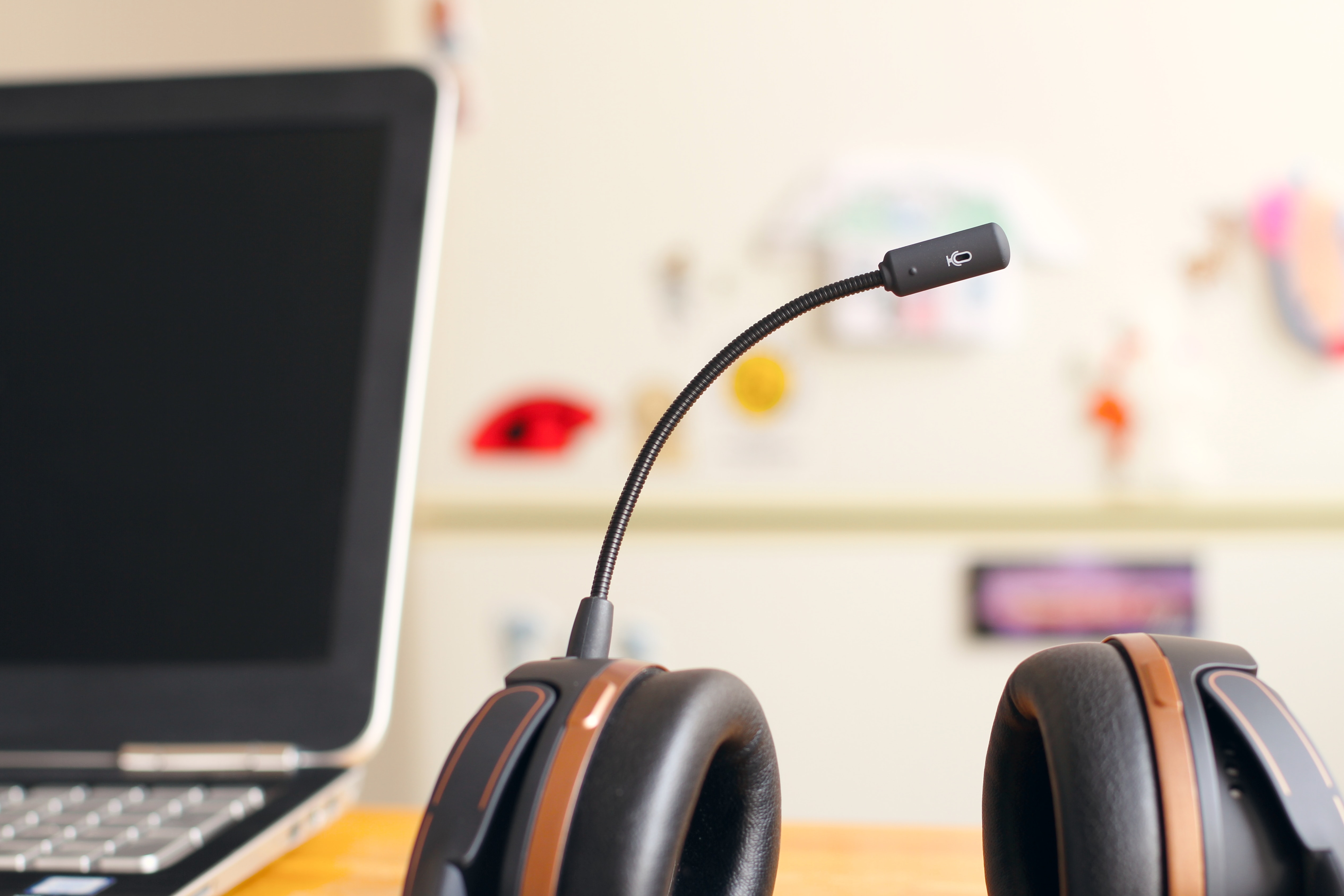
Whenever possible, use headphones with a microphone, in other words a headset.
Of course, every current notebook has a built-in microphone and speakers, but these bring serious disadvantages with them. Laptop microphones are usually designed to pick up sound from every direction, which unfortunately also amplifies incidental and background noise considerably. As a result, the person at the other end may even hear the notebook fan howling, and will certainly hear your keystrokes.
The microphone of a headset is much closer to the sound source, our mouth, and therefore picks up other noises far less strongly. That is a gain in every case, even with a cheap headset. Bear in mind, though, that headsets have their pitfalls too. On smartphone headsets, for example, the microphone is always built into the cable a little below the chin. So anyone taking part in a conference call while on the move, with that cable constantly rubbing against their clothing, produces a proper acoustic thunderstorm at the other end.
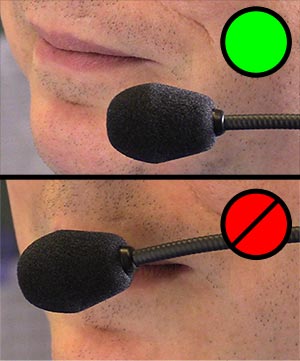
Microphones and headsets positioned close to the mouth on a boom can also be too close, which shows up as distorted sound or loud popping noises. Positioning the microphone to the side of the mouth helps here. A windshield, a foam cover, also reduces these noises. The drawback of using the laptop as a speaker is that it often creates an echo for the others, because the speakers and the built-in microphones are inevitably close together. Practically every piece of software has echo cancellation built in for that reason, but it never works reliably.
A short excursion into audio engineering

There are also massive differences between transmission technologies when it comes to the intelligibility of the spoken word. The good old telephone connection is almost 150 years old, yet it still dominates communication. Naturally a great deal has happened in the technology behind it, but the frequency response is (mostly) still the same as it was 100 years ago and covers at most 300 to 3,400 hertz, and often even less: 500 to 1,000 hertz. That frequency range does cover the essential part of the human voice, but it never sounds natural. To understand a person’s voice, the highs between 4,000 and 10,000 hertz are decisive. A few years ago the telecommunications industry therefore launched a technology called ‘HD voice’, which brings a considerably wider frequency response (50 to 8,000 hertz), sounds far more natural and makes it easier to understand one another. It is a pity that many providers have not adopted it yet, or only in part. Apple offers a high quality audio format in its devices too, with FaceTime Audio. The many other options from WhatsApp, Skype, WebEx, Zoom and so on are similar, if not always adequate. In every case, though, they are better than a conventional telephone line, provided the internet connection is stable.
If you want a genuinely high quality audio connection, for example for an interview with a radio station, you should look at other solutions. There are various products on the market that stand out for transmitting sound with the OPUS codec. It is being used more and more often in apps such as WhatsApp, but never at full quality. As a voice over artist I regularly become the extended recording room of the sound studio that books me. The production companies set up a live connection into my recording booth through SourceConnectNow or SessionLinkPro and so get high quality sound straight from my large-diaphragm microphone. It is a shame that radio and television stations rarely, if ever, work this way. In the current COVID-19 situation, interviews are unfortunately done over Skype as a matter of routine, accepting massive losses in quality or even dropouts. To my mind that is hard to understand, when it could be done many times better without much effort.
Switch the webcam off
Practically all software solutions support video calling today, so instead of a ‘boring’ conference call you can of course hold a video conference. But does that always make sense? In a business context I have my doubts. At many companies the webcam is switched on by default in a conference, but why, in fact? Usually you then see the participants from an unflattering angle, or you can barely make them out because the frame shows everything but them. Another common sight: the open laptop stands off to one side and films the protagonists as they look at their main screen, rather like a police mugshot. The conclusion: the webcam mostly films you in a way you would never want to be shown in a photograph.
Now: switch the webcam on
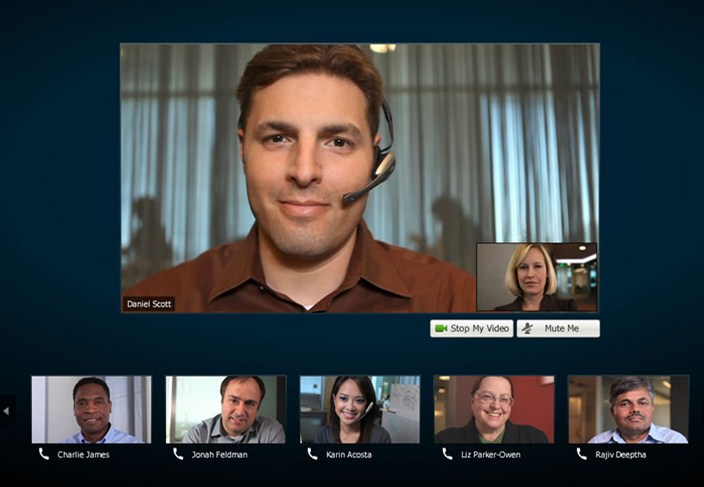
All the same, I see a number of situations in which switching the camera on does make sense in a business context: whenever things are meant to be personal or emotional. Reactions to what has been said are expressed mainly through facial expression, and only once an emotional threshold is crossed do sounds come with them. So if you are holding an appraisal online or want to discuss an emotional subject, the video picture supports empathy and creates a more personal setting. When someone gives a virtual presentation to others, switching the camera on can be advisable too, because here as well content carries better with body language and facial expression. In times of a pandemic, more and more virtual after-work meetings are taking place as well. There, of course, you want to see where the others are and which drink they have in their hand. So switch your camera on deliberately, and off again just as deliberately.
What do you show of yourself?
In our selfie age we are used to seeing pictures of ourselves, in the loveliest and the most impossible poses. Here is how to show not only your best side, but also to let your colleagues see you clearly:

- Make sure the brightest light source is behind the webcam or display and not behind you. Otherwise the picture turns into a shadow play. Webcams are in most cases cheap camera modules and struggle badly with different brightness levels within the frame. If you can influence the lighting, try to achieve lighting that is as even as possible, at least on your face.

- Background: what do you want the participants in the web conference to see of your home office? The best thing is to switch the camera on once before the conference, so that you can see what is in the picture. Piles of laundry or children’s toys lying about are nothing terrible, but I would avoid them in a video background because they distract. The simplest and most effective approach is to have a white wall behind you with a calming picture on it. Showing your colleagues the view can be lovely, but it conflicts with the previous point. Anyone who wants a more interesting background can of course arrange one deliberately.

- The webcam through which the other participants see you is usually built into the middle of the top edge of the (notebook) display. If your laptop is standing on the desk, you are filmed from below. That perspective is unflattering, and in film it is used to make a person look arrogant. So place the camera at the height of your head if you can, straight in front of you. That naturally calls for something to raise the laptop, plus an external mouse and keyboard.
Sharing screen content with others
Rather than have every participant open a document locally and then keep asking one another which point the others have reached, someone can share their screen so that everyone has the same view, as they would in a physical meeting room. Most meeting software also offers the option of sharing only one program or one window. That lets you look things up or make notes in other applications without the group seeing them. Anyone sharing their entire screen needs to be aware that the meeting participants see EVERYTHING. Why people are still splattering their whole desktop with files in 2020 is beyond me, because that is not the best way to find them. Every platform now offers other ways to organise files well and find them quickly without abusing the desktop for it. Pay attention as well to the desktop wallpaper you are showing the other participants. Photos of parties that got out of hand or overly private pictures of your relationship are just as suboptimal as portraits shot in portrait format. What matters is that you are aware of this and close the applications and views that are not meant for other eyes before you share your screen.
The aim of this article was to make you aware of the media side of online meetings and to make digital meetings more pleasant and more efficient for everyone. If you have questions or comments about it, get in touch with me.
I wish you every success.